Replaces


Frequently bought together
Part Details
About TRQ:
TRQ is a trusted brand dedicated to making every repair a success story by combining premium parts with easy installation. Each TRQ part is engineered by a team of automotive experts to meet or exceed OEM standards, delivering enhanced performance and maximum longevity. With rigorous in-house testing, the brand ensures superior fit and function across every product line. TRQ also provides customers with best-in-class, step-by-step installation videos—so you can complete repairs with confidence, whether you're a first-time DIYer or an industry professional.
Product Features
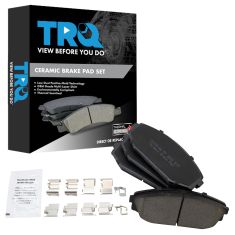
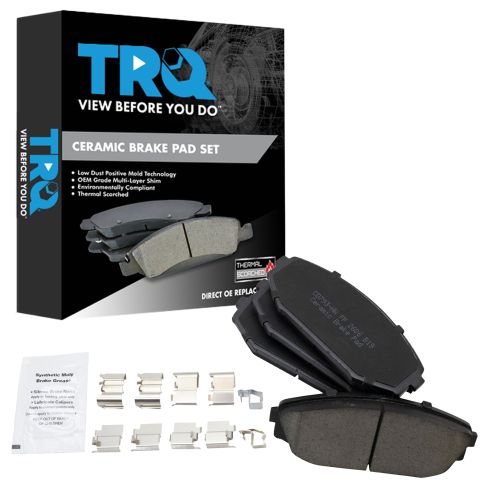
TRQ brake pads are manufactured using premium raw materials and design standards to restore original performance. TRQ brake pads are positive molded and utilize a multi-layer shim for enhanced performance and service life. TRQ’s combination of materials and design ensures a low dust and low noise braking experience. TRQ recommends replacing your brake rotors when you replace your brake pads to ensure even wear of components and improved braking comfort. All products are fit and road-tested in our Massachusetts R&D facility to ensure we deliver on our promise of Trusted Reliable Quality.
Attention California Customers:
 WARNING: This product can expose you to chemicals including Lead and Lead Compounds, which are known to the State of California to cause cancer, and birth defects or other reproductive harm. For more information, go to www.P65Warnings.ca.gov.
Lifetime Warranty
This item is backed by our limited lifetime warranty. In the event that this item should fail due to manufacturing defects during intended use, we will replace the part free of charge. This warranty covers the cost of the part only.
FREE Shipping is standard on orders shipped to the lower 48 States (Contiguous United States). Standard shipping charges apply to Hawaii and Alaska.
Shipping is not available to a P.O. Box, APO/FPO/DPO addresses, US Territories, or Canada for this item.
Expedited is available on checkout to the United States, excluding Alaska, Hawaii.
Final shipping costs are available at checkout.

Created on:
Tools used
Brought to you by 1AAuto.com, your source for quality replacement parts and the best service on the Internet.
Hi, I'm Mike from 1A Auto. I hope this how-to video helps you out, and next time you need parts for your vehicle, think of 1AAuto.com. Thanks.
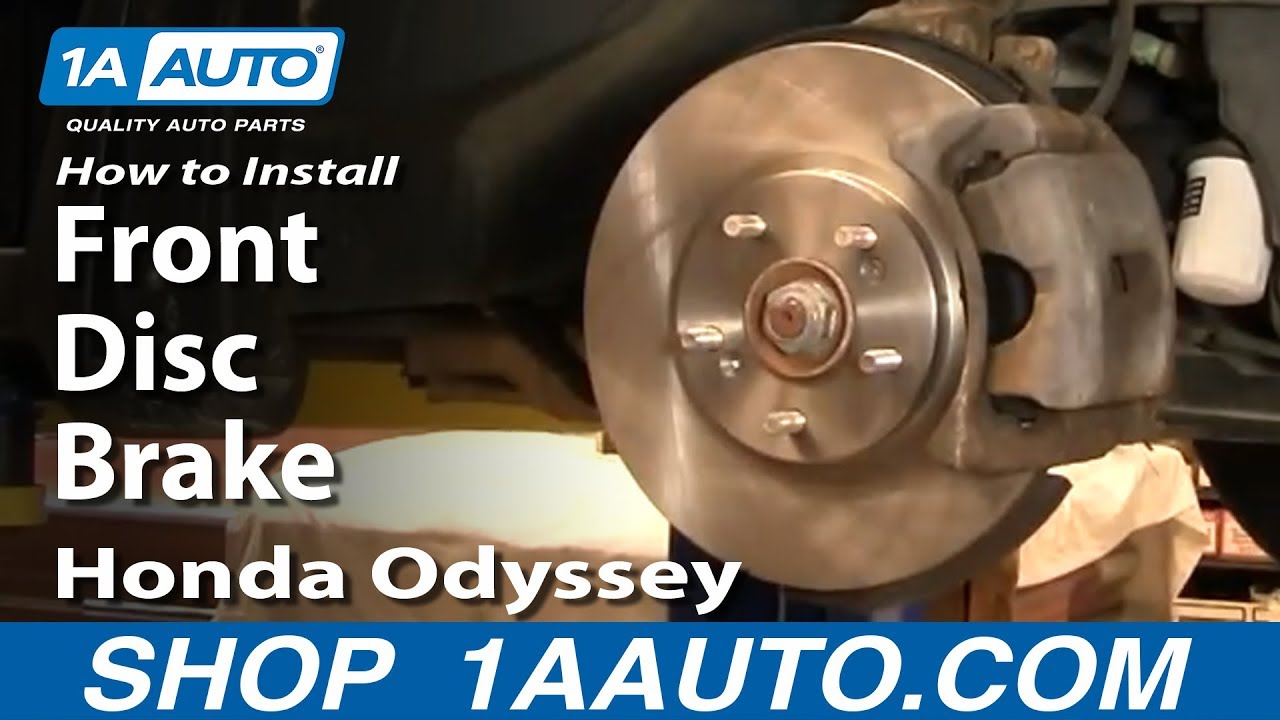
In this video, we're going to show you the procedure for replacing your front disc brakes. We've got here a 2003 Honda Odyssey. The procedure's basically the same for any '99 to '04 Honda Odyssey. We'll show you the passenger side; you would obviously want to repeat this for the driver's side and always replace your brakes in pairs. Tools you'll need are new pads and rotors from 1AAuto.com, jack and jack stands, your lug wrench or a 19mm socket with a breaker bar, 14mm and 18mm sockets, wire brush, a large C-clamp, and a torque wrench.
As you can see, here, I've got the vehicle raised up and I'm removing the lug nuts with my impact wrench. If you don't have an impact wrench you want to start with the vehicle on the ground, loosen the lug nuts with a 19mm socket and breaker bar or your tire iron. Then, raise and support the vehicle and remove the lug nuts and wheel the rest of the way. You can see here I'm kicking the tire. That's basically just a way if your tire or your wheel is a little bit frozen on because of the aluminum. Just give it some good kicks and break it loose and then you can remove the tire.
Use a steering wheel or pull on your brakes or your suspension so you can see the caliper easily. Quick inspection of the brake: if you look through here, you see a little slot there. That's actually a wear mark. That indicates that the pads have pretty good wear left on them. Then check the same thing over here. You can see that they're marked right in there for the outside pad. Pads are actually new but we'll take them off and put them on to show you. Also, just inspect the condition of the rotors. These appear to be nice and new. I run the back of my fingernails along them. There are no deep grooves or anything. What we're going to do next is we're going to remove these two bolts here: one here and one down here. These bolts are 14mm; use a 14mm socket. You shouldn't need to use too big of a ratchet handle. They should be fairly easy to get off. Before I take them all the way off, I'm going to grab my caliper and pull. You want it really nice and hard. I'm going to take these bolts out, and by pulling on that I actually kind of loosen up the caliper a little bit and it comes right up and off. For now I'm going to put it right here. To take the pads off you're just going to pull right out. I'll just pull right out on the rear one. Like I said, you can see these pads are fairly new and in good shape.
To get the rotor off I'm going to remove these two larger bolts here. These bolts are 17mm. I'm going to use a ratchet and a piece of pipe. It's always a good tool to have for some leverage. The right tool is actually a breaker bar but you can use this method if you don't have a breaker bar handy. Just apply a nice even pressure until the bolts starts loosening. I'll just speed up here as I remove those bolts. There are two screws that hold this one. The correct tools is an impact driver and what you do is you try to put it on here and then try twisting it but usually that doesn't work. Basically what you do is you twist this counter clockwise to load it up. Hold it into screw and then when you hit with a hammer it both drives the bit into the screw and turns the screw counter clockwise at the same time. I'm going to fast forward here as I just use the impact driver to loosen those screws. Then remove one of the screws. I get this one out and I will have to admit this is the first time this has ever happened to me, even with the impact driver this stripped so I'm going to use a drill and drill it out. Looking at my screw, a quarter inch bit should be enough to draw it all out. I've got my drill, and a quarter inch drill bit. It screws nice and easy because it's already got a hole in it. I'll just fast forward here as I drill out that screw. You saw there, I just used a hammer and hit the middle of the hub and that broke the disc free.
I'm putting a nice new rotor from 1A Auto on. I can use the one screw that I was able to get out and hold the rotor back on, since I wasn't able to get the other screw out, I obviously can't use it to put back on. That's okay the rotor's held on by the five lug nuts and wheel as well. Now we'll just put the inner pad right in here. Using your big C-Clamp, and with your older inner pad in there, tighten up the clamp that forces the piston back into the caliper. Make sure your slides are nice and loose here and then clean them out. Use a wire brush and brush this stainless steel slides. Clean them out. Get your two bolts. This goes between the rotor and the knuckle. Get it correctly back in place and then start your bolts in. Now we get our torque wrench that's set at between 85 and 90 foot-pounds, and torque these bolts on.
To put your pads in is pretty easy. Just kind of poke them right in here. Put them into the slides. Part one slide right down in. Now you bring your caliper right down. I'm going to push this in just a little bit. These bolts you want to set between 18lbs and 20 foot-pounds.
We're getting to the home stretch. Straighten out your wheels either by using steering wheel or pulling the suspension. Put your wheel back on and start all your lug nuts just by hand first and then while the vehicle is still in the air, just kind of preliminary tighten up with your socket and ratchet or as I'm doing, with my impact wrench. Now, again, use your torque wrench and you want to tighten your lug nuts between 95 and a 100 foot-pounds and use a star pattern as you tighten. Whenever you've had the brake apart, just make sure that you pump the pedal a few times. Make sure it's nice and firm. Then before you road test your vehicle just do test stops from five and ten miles an hour. Just to make sure the brakes are working properly.
We hope this video helps you out. Brought to you by www.1AAuto.com, your source for quality replacement parts and the best service on the Internet. Please feel free to call us toll-free, 888-844-3393. We're the company that's here for you on the Internet and in person.
Tools used
Brought to you by 1AAuto.com, your source for quality replacement parts and the best service on the Internet.
Hi, I'm Mike from 1A Auto. I hope this how-to video helps you out, and next time you need parts for your vehicle, think of 1AAuto.com. Thanks.
In this video, we're going to show you rear brake replacement on this 2003 Honda Odyssey, same as any '99 to '04 Odyssey. We're going to show you the right hand or passenger side. Obviously, you will always want to replace brakes for both sides. We show you one side. Do the other side as well.
Tools you'll need: You'll need a new brake set from 1A Auto.com, jack and jack stands, a 19 millimeter socket and breaker bar or your lug wrench, 12 to 14 millimeter sockets and ratchet, a wire brush. You may or may not need a large C Clamp, and you'll need an impact driver and a hammer if the original screws are still in your disks. Lastly, you'll need a torque wrench to put everything together correctly.
First, raise and support the vehicle. Then use a 19 millimeter socket and breaker bar. If you're just using hand tools, actually, you'll want to loosen the lug nuts when the wheel is on the ground and the vehicle is in park. Loosen the lug nuts first. Then raise and support the vehicle. Remove the five lug nuts and remove the rear wheel.
Okay, we're in around behind the rotors. We've got two bolts. They're 12 millimeter, here and here. So I'll put a wrench on them, put another wrench on there for some extra leverage, then loosen them. Then just fast forward, as we take them the rest of the way out. Now we're going to grab on the caliper and pull it towards the outside of the vehicle. As we pull it out, that forces the piston back into the caliper and then loosens it up and it comes right off and then we can kind of prop it up in behind. Then we take the pads out just by pulling them out of their brackets. Now we're putting a wrench on this 14-millimeter bolt here, so we want to remove this one and then this one up here. These two bolts hold the caliper bracket on. Let's put a 14 millimeter wrench on there and hook the larger wrench on to it or use a larger handle socket and ratchet. Loosen up those bolts and then remove them and remove the caliper. Fast forward here a little bit.
So now we're going to use an impact driver. We're going to load that into the screw and then you turn it counterclockwise, use the hammer, and give it a good whack, and it loosens up some bolts. We're going to just fast forward as we remove the screws the rest of the way, and hopefully your rear rotor comes off this well. If not, you can use a hammer. Okay. Now install your new brake from 1A Auto, and then use the two screws I'll fast forward as we put those back in to hold it in place. There's a small rubber plug you want to force out of the old rotor and then just put it into the new rotor, press it in by hand first. Then grab a screwdriver and push it in the rest of the way.
Before you reinstall the brackets, you want to use a wire brush and clean the stainless steel slides. Some brake pads actually come with new ones, so you either replace them or clean them up. Then you make sure that your bolt slides are free. If they're not free or have too much, they're too sticky, pull them right out, clean them up and grease them. Now take your brackets and put them into place. Start the two bolts on, and in a minute here I'm just going to fast forward as I get those, basically just get those bolts started and seated. Set your torque wrench to 45 foot-pounds. Now, just slide the outer pad in. It goes right into the slides. Then the inner one goes in the exact same way. Now you'll want to take your caliper. Use a large C-Clamp and make sure you reset the piston. As you tighten it up, the piston gets pushed back into the caliper. Usually just by pulling on it in the beginning, you're able to reset the piston but you just want to make sure. Then you can slide the caliper right on. Now put your 12 millimeter bolts back in. Set your torque wrench to 20 foot-pounds and tighten them up.
Now, I'm going to fast forward to put the wheel back in place. Start all five lug nuts on by hand first. Then preliminarily tighten them, and then lower your vehicle to the ground. Now set your torque wrench to 90-100 foot-pounds and torque the wheel using a star pattern. Whenever you've had the brakes apart, just make sure that you pump the pedal a few times, make sure it's nice and firm. Then before you road-test your vehicle, just do test stops from 5 and 10 miles an hour just to make sure the brakes are working properly.
We hope this helps you out. Brought to you by www.1AAuto.com, your source for quality replacement parts and the best service on the Internet. Please feel free to call us toll-free, 888-844-3393. We're the company that's here for you on the Internet and in person.

BFA73186